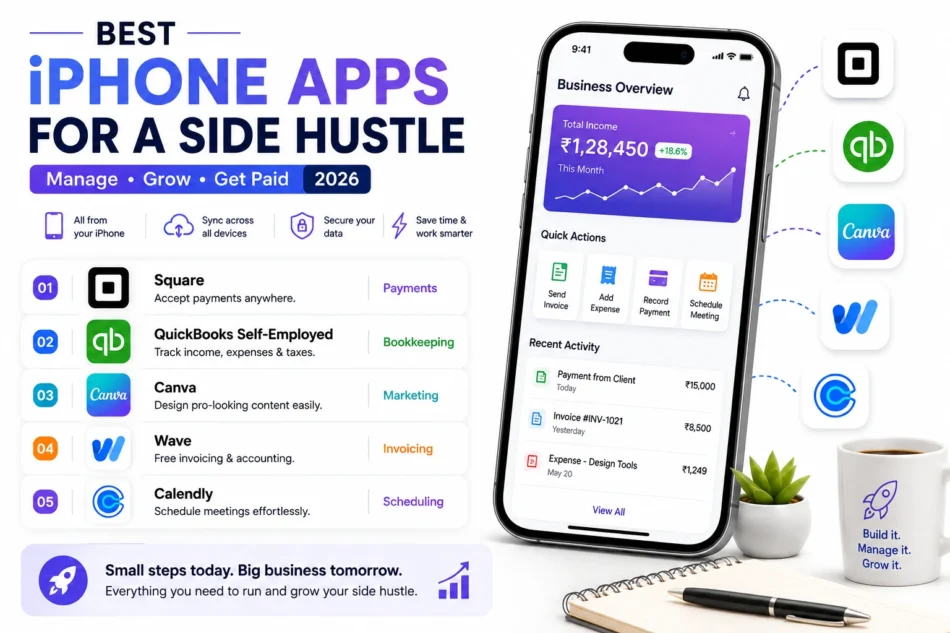

Running a side hustle or a small solo business used to require at least a basic computer setup for invoicing, payment processing, and bookkeeping, but a genuinely capable set of iPhone apps now covers nearly the entire operational side of a small business without needing a laptop at all. This matters enormously for anyone running a side hustle alongside a full-time job or other commitments, since the ability to invoice a client or process a payment from a phone during a spare few minutes removes real friction that used to delay getting paid or staying on top of basic bookkeeping. Here are five iPhone apps worth using this year for managing a side hustle or small business entirely on the go. Most also sync data directly to a laptop or desktop for anyone who eventually wants a bigger screen for deeper bookkeeping review, without losing any records entered on the go from a phone.
Square

Square handles genuinely simple in-person and online payment processing directly from an iPhone, letting a side hustler accept a card payment on the spot without needing separate hardware or a computer-based checkout system.
🔗 Download on Play Store | squareup.com
QuickBooks Self-Employed

QuickBooks Self-Employed tracks income and expenses specifically for freelancers and solo business owners, automatically separating business and personal transactions to simplify tax time considerably.
🔗 Download on Play Store | quickbooks.intuit.com/self-employed
Canva

Canva lets a side hustler create genuinely professional-looking marketing materials, social posts, and simple branding assets directly from a phone, without needing design skills or separate software.
🔗 Download on Play Store | www.canva.com
Wave

Wave offers genuinely free invoicing and basic accounting functionality, appealing to side hustlers on a tight budget who need professional invoices without a monthly software cost eating into modest early profits.
🔗 Download on Play Store | www.waveapps.com
Calendly

Calendly lets clients book time directly onto a side hustler’s calendar without the back-and-forth of manual scheduling, saving genuinely real time for anyone juggling a side business around a full-time job’s schedule.
🔗 Download on Play Store | calendly.com
The right combination depends on the specific type of side hustle being run. Anyone selling physical products or services in person benefits most immediately from Square’s payment processing, while service-based side hustles, consulting, freelance work, benefit more from QuickBooks Self-Employed’s expense tracking and Wave’s free invoicing. Canva is worth using regardless of the specific business type, since professional-looking marketing materials genuinely help a side hustle look more credible to potential clients from the very first interaction. Calendly becomes especially valuable once a side hustle involves any kind of scheduled service, consultations, sessions, appointments, removing the scheduling back-and-forth that otherwise eats into already-limited spare time. It’s also worth setting up a dedicated business email and a simple folder structure for receipts and invoices early on, even before revenue feels significant enough to justify the extra organization, since retrofitting proper records later is considerably more tedious than building the habit from the very first sale.
A side hustle can genuinely run entirely from an iPhone now, from the first client invoice through ongoing bookkeeping and marketing, without ever needing a dedicated computer setup. Start with whichever app addresses your side hustle’s most immediate need, getting paid, tracking expenses, or booking clients, and add the rest as the business genuinely grows beyond its earliest, simplest stage. Plenty of genuinely successful small businesses started exactly this way, run entirely from a phone in spare evening hours before ever justifying a dedicated office setup, proving that the size of the tools needed doesn’t have to match the size of the ambition behind them.