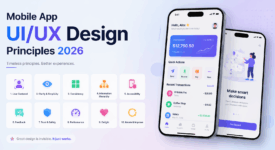


The boundaries between web and native applications continue blurring through progressive web app development—creating web experiences delivering app-like functionality, performance, and engagement. PWAs combine web accessibility with native capabilities: offline functionality, push notifications, home screen installation, and fast performance. This hybrid approach eliminates app store gatekeepers while maintaining cross-platform compatibility.
Understanding PWA Fundamentals
Progressive web app development builds upon standard web technologies (HTML, CSS, JavaScript) enhanced with modern APIs enabling native-like capabilities. The “progressive” designation indicates applications function universally—providing basic functionality on all browsers while progressively enhancing experiences on platforms supporting advanced features.
Three core technologies enable PWA functionality: service workers provide offline capabilities and background processing, web app manifests enable installation and define appearance, and HTTPS ensures secure communication preventing man-in-the-middle attacks. Together, these components transform traditional websites into installable, reliable, fast applications rivaling native experiences.
Service Worker Implementation
Service workers represent progressive web app development foundation, acting as programmable network proxies intercepting requests and managing caching strategies. This enables offline functionality—applications continue operating without connectivity by serving cached resources. Sophisticated caching strategies balance storage efficiency with offline capability.
Workbox simplifies service worker development through preconfigured caching strategies and build tooling integration. Cache-first strategies prioritize speed for static assets, network-first strategies ensure data freshness for dynamic content, and stale-while-revalidate balances immediacy with updates.
Background sync enables offline action queuing—user actions during connectivity loss queue for automatic submission when connectivity restores. This maintains seamless experiences despite intermittent connectivity, particularly valuable for mobile users experiencing variable network conditions.
Web App Manifest Configuration
Manifests define how progressive web app development results appear when installed. JSON configuration files specify application names, icons, display modes, orientation preferences, and theme colors. Proper manifest configuration enables “Add to Home Screen” prompts and app-like launches hiding browser chrome.
Icon specifications require multiple resolutions accommodating various devices and contexts. Missing icon sizes result in poor visual quality or installation failures. Comprehensive icon sets include 192×192 and 512×512 sizes minimum, with additional sizes improving visual fidelity across platforms.
Display modes control application presentation: standalone mode resembles native applications hiding browser UI, fullscreen mode maximizes content area, and minimal-ui mode retains minimal browser controls. Selection depends on application nature and user expectations.
Performance Optimization
Performance critically impacts progressive web app development success. Users expect instant loading—delays beyond three seconds trigger abandonment. Performance optimization encompasses: code splitting reducing initial payload, lazy loading deferring non-critical resources, image optimization balancing quality with file size, and caching strategies minimizing network requests.
Lighthouse audits PWA compliance and performance, identifying optimization opportunities across performance, accessibility, best practices, and SEO categories. Regular auditing during development prevents performance regression.
The PRPL pattern optimizes delivery: Push critical resources, Render initial route, Pre-cache remaining routes, and Lazy-load on demand. This pattern minimizes time to interactive while preparing for subsequent navigation.
Native Feature Integration
Modern web APIs enable progressive web app development incorporating traditional native-only features. Push notifications reengage users through timely updates, geolocation enables location-aware experiences, device orientation supports immersive experiences, camera access enables photo capture, and payment APIs streamline checkout processes.
Feature detection ensures graceful degradation on platforms lacking API support. Progressive enhancement principles provide core functionality universally while enhancing experiences where capabilities exist. Never assume API availability—always verify support before attempting usage.
Installation and Engagement
Install prompts encourage users adding PWAs to home screens, creating persistent access resembling native applications. Timing significantly impacts install conversion—prompting prematurely annoys users, while delayed prompting misses engagement peaks. Analytics reveal optimal prompting triggers.
Installed PWAs appear in application launchers alongside native applications, receive dedicated windows, and enjoy improved performance through app shell architecture. This installation dramatically increases engagement metrics—installed users demonstrate higher retention and session frequency compared to casual browsers. For comprehensive development strategies, explore our app development learning resources.
Platform-Specific Considerations
While progressive web app development promises write-once, deploy-everywhere benefits, platform differences require consideration. iOS PWA support lags Android—lacking push notifications and exhibiting storage limitations. These constraints necessitate platform-specific testing ensuring acceptable experiences across ecosystems.
Browser compatibility varies significantly. Chrome and Edge provide comprehensive PWA support, Safari offers partial support, and Firefox supports most features. Polyfills bridge gaps for older browsers, though performance and capability compromises may result.
Conclusion
Progressive web app development delivers app-like experiences through web technologies, combining broad accessibility with native capabilities. Service workers enable offline functionality, manifests facilitate installation, and modern web APIs provide native features. PWAs eliminate app store dependencies while maintaining cross-platform compatibility and reducing development overhead compared to native alternatives. Implement progressively, test comprehensively, and optimize relentlessly for maximum impact. For additional web development insights, visit our app development category.