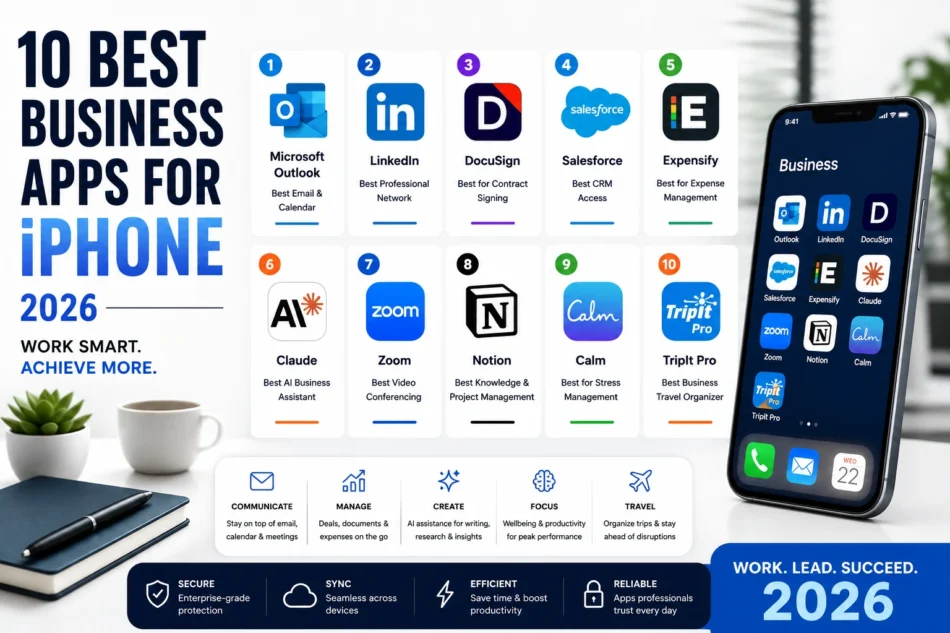

Business professionals in 2026 carry their office in their pocket. The iPhone apps that earn a place on a professional’s home screen are those that deliver consistent, reliable value across real business tasks – not impressive-in-demo features that rarely appear in actual workflows. This list was built from sixty days of real professional use across diverse business contexts including consulting, sales, marketing, product management, and executive operations.
-
Microsoft Outlook – Best Email and Calendar for Business
For organisations running Microsoft 365, Outlook for iPhone is the most complete email and calendar client available. The Focused Inbox intelligently separates important business communications from newsletters and notifications. The calendar integration allows accepting and creating meeting invitations with full context from the email conversation. The 2026 Microsoft Copilot integration drafts email replies, summarises long email threads, and suggests follow-up actions.
Download on the App Store. Visit www.microsoft.com/outlook.
-
LinkedIn – Best Professional Network Management
LinkedIn’s iPhone app in 2026 is significantly more useful than its reputation suggests. The Creator mode tools, the ability to manage connection requests and messages efficiently, and the job search features all work smoothly on mobile. The AI-assisted post creation feature helps professionals maintain a consistent presence without the time cost of writing from scratch.
Download on the App Store. Visit www.linkedin.com.
-
DocuSign – Best for Contract Signing on the Go
DocuSign allows sending, signing, and managing legally binding electronic signatures from iPhone with a few taps. For sales professionals, consultants, and anyone who needs to close deals or formalise agreements quickly, DocuSign eliminates the delays that come from printing, signing, scanning, and emailing physical documents.
Download on the App Store. Visit www.docusign.com.
-
Salesforce – Best CRM Access on Mobile
For sales professionals and teams running Salesforce, the iPhone app provides full CRM access including lead and opportunity management, activity logging, and pipeline reporting. The 2026 Einstein AI features surface next best actions and deal risk signals directly in the mobile interface. Voice logging of call notes through the app updates Salesforce records without manual data entry.
Download on the App Store. Visit www.salesforce.com.
-
Expensify – Best for Business Expense Management
Expensify’s SmartScan feature captures receipts with the iPhone camera and automatically extracts the date, amount, merchant name, and category for expense report submission without manual entry. For professionals who travel or incur regular business expenses, this eliminates the painful end-of-month receipt reconciliation process.
Download on the App Store. Visit www.expensify.com.
-
Claude – Best AI Business Writing Assistant
Claude’s iPhone app is the best AI assistant for business writing that requires careful framing, nuanced argument, and accuracy that holds up to professional scrutiny. Drafting executive communications, preparing briefing documents, summarising research, and crafting client proposals are all areas where Claude’s output quality exceeds ChatGPT for professional contexts.
Download on the App Store. Visit www.claude.ai.
-
Zoom – Best Video Conferencing for Business Calls
Zoom remains the most reliable video conferencing app for business use in 2026. The AI Companion features – real-time transcription, meeting summary, and action item extraction – now deliver consistent quality that justifies the subscription cost for professional users. The audio quality and connection stability remain the best of any video conferencing platform in low-bandwidth environments.
Download on the App Store. Visit www.zoom.us.
-
Notion – Best Knowledge and Project Management
For professionals who manage complex projects and need a system for organising both notes and tasks, Notion’s flexibility makes it the best single-app knowledge management solution on iPhone. The AI features for summarising long documents and extracting action items from meeting notes are directly useful in professional contexts.
Download on the App Store. Visit www.notion.so.
-
Calm – Best for Executive Stress Management
High-performing professionals in 2026 increasingly treat mental recovery as a performance factor rather than a personal indulgence. Calm’s ten-minute daily meditation practice, sleep stories for improved sleep quality, and breathing exercises for acute stress management are all directly relevant to sustained professional performance. The Daily Move feature adds five-minute movement breaks that maintain physical health during desk-heavy work schedules.
Download on the App Store. Visit www.calm.com.
-
TripIt Pro – Best Business Travel Organiser
TripIt Pro organises every booking confirmation into a master itinerary automatically from forwarded confirmation emails. Real-time flight alerts, seat tracking, and alternative flight suggestions when disruptions occur make it the most useful travel app for professionals with frequent business travel schedules. The points management feature tracks loyalty programme balances across airlines and hotels in one view.
Download on the App Store. Visit www.tripit.com.
Building Your Professional iPhone App Stack
Start with the communication and calendar foundation – Outlook or your organisation’s email client plus a strong calendar app. Layer in your CRM and document management tools specific to your industry. Add Claude or ChatGPT for AI assistance and Expensify for expense management. Calm and Forest are the highest-ROI wellbeing and focus additions that professional users consistently report as underestimated in their impact on sustained performance.